Project Overview
This project involved redesigning StoneShot's Event Check-In app which enables event organisers such as HSBC and BNP Paribas to check attendees into their financial events.
User feedback indicated that with the existing solution, the check-in process was slow and the ability to record attendance data was limited. The UI was also outdated and there were opportunities to enhance the functionality.


Challenges
Slow Check-In Process
The existing app was was outdated and made checking in attendees slow, creating a poor first impression.
Attendee Data Being Lost
The old app could not capture data for guests that turned up without registering, this meant sales could not follow up.
Unintuitive UX & UI
The previous app had outdated UI and was confusing to use, which was causing frustration for our users.
Special Requirements Were Hard to Find
The old app made it difficult to find special requirements for guests; leading to a less personalised experience.
Opportunities
Faster Check-Ins
Make the check-in process faster, helping to reduce queueing times and improve the first experience of the event for attendees.
More Insight for Organisers
Provide organisers with greater event oversight on the day, so that key information is immediately accessible whilst catering to guests.
Improved Data Capturing
Enable organisers to easily track details of unregistered guests, so that sales teams could follow-up.
Discovery & Research
Before designing any screens, we spoke with our existing clients to gather their insights and we framed the core problems using "how might we" statements. We identified pain points in their journey such as slow paper-based registration for unplanned attendees.
Reviewing competitor solutions helped to identify where existing check-in apps fell short, surfacing themes that shaped the direction of our app.


Insights From User Research
User A
“Not everyone has apple devices so web app would be more easily and widely accessible.”
User B
“Web app is easier to get approval from the business than a native app.”
User C
“Clients would not download an app.”
Insight & Design Response
A web app could be an appropriate solution because it could be available on any device, and does not need to be downloaded.
User Flows
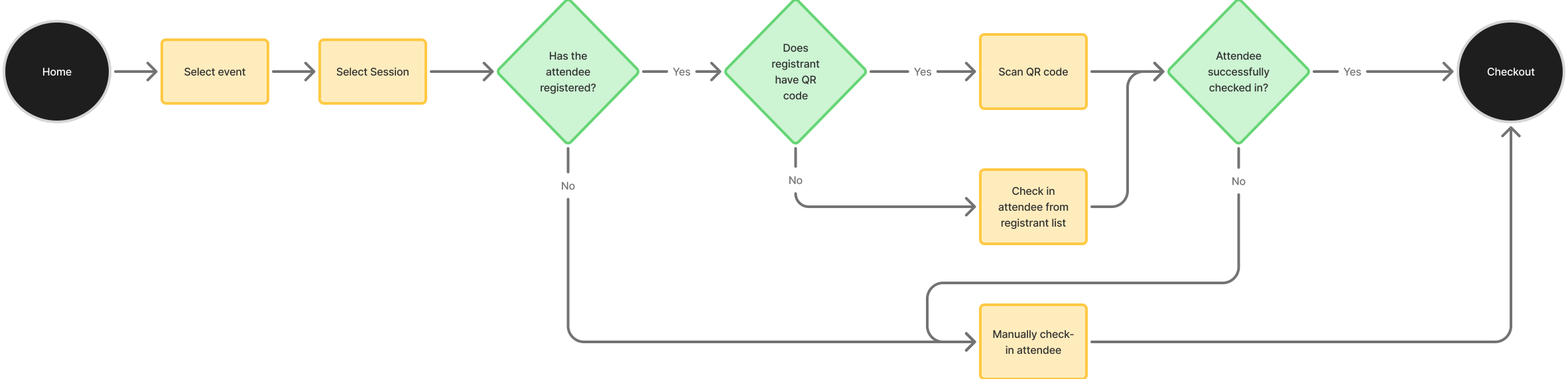
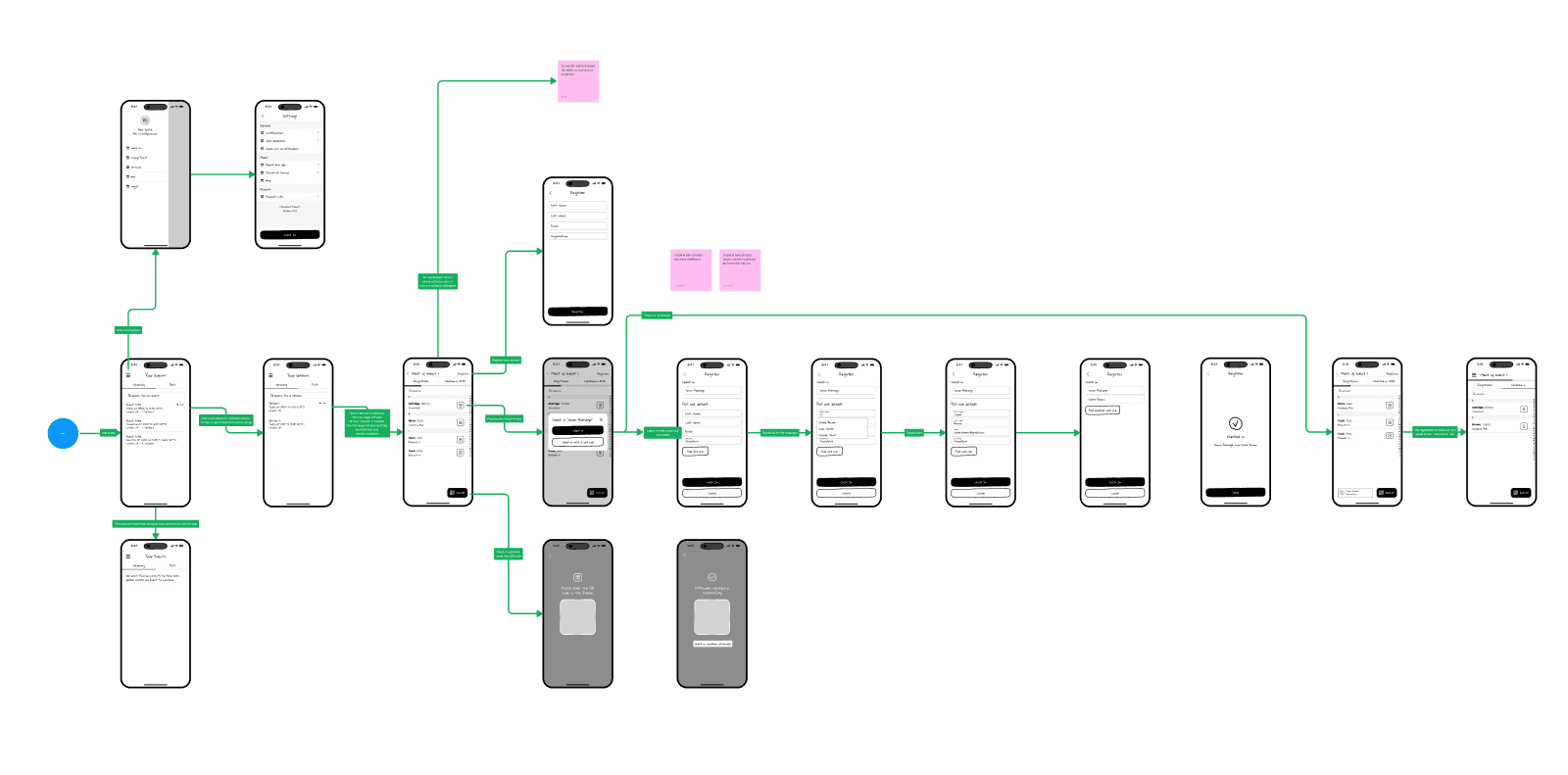
Building user flow charts allowed us to map out key steps and identify which screens would be required to enable users to complete tasks. Following this step meant that we did not waste time building screens that users did not need to achieve their goals.
This process involved working closely with our head of development to flag anything that wasn't technically feasible early, rather than discovering constraints once wireframes were already built out.
Low-Fidelity Wireframing
This stage helped us visualise the key steps in the flow and how they would flow together. It allowed us to optimise the information delivery in a concise way.
The wireframes were reviewed with our CEO, Head of Sales, and Head of Development to check feasibility and identify potential edge cases.

Prototyping & Validation
Prototypes allowed us to bring the app to life and explore the solution with real users. I presented the prototypes to the teams at HSBC and BNP Paribas to gather feedback and identify pain-points and successes.
The feedback helped us validate our design decisions and make the final experience as smooth as possible.

UI Library
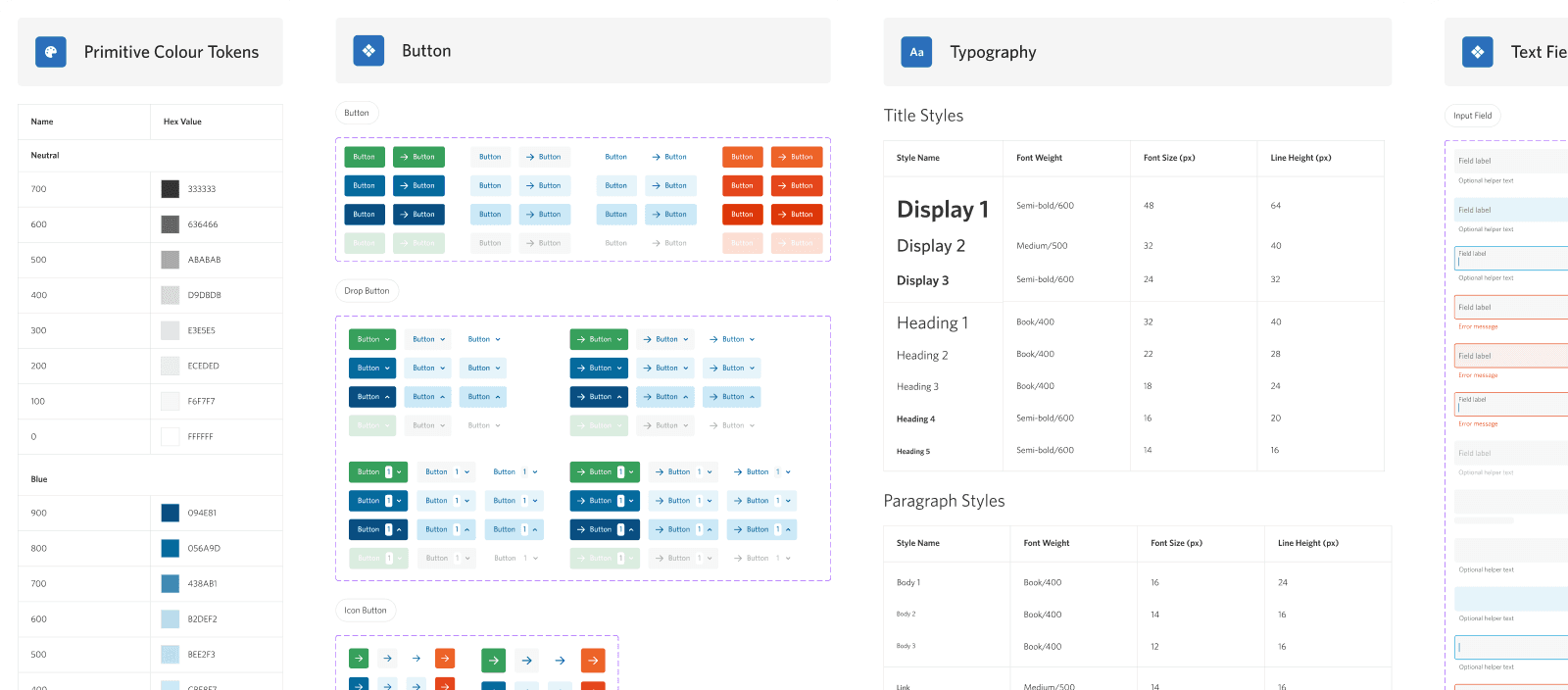
I built a mobile UI specific off-shoot of our main design system to manage reusable components. This helped the UI to feel similar to the main product and utilise familiar design patterns for users, whilst also being optimised for mobile screens.

Login and Account selection
Users can log in, then choose which account to work from if they have access to more than one. This was the reality for many of our clients marketing teams based in different countries.

Managing Your Events
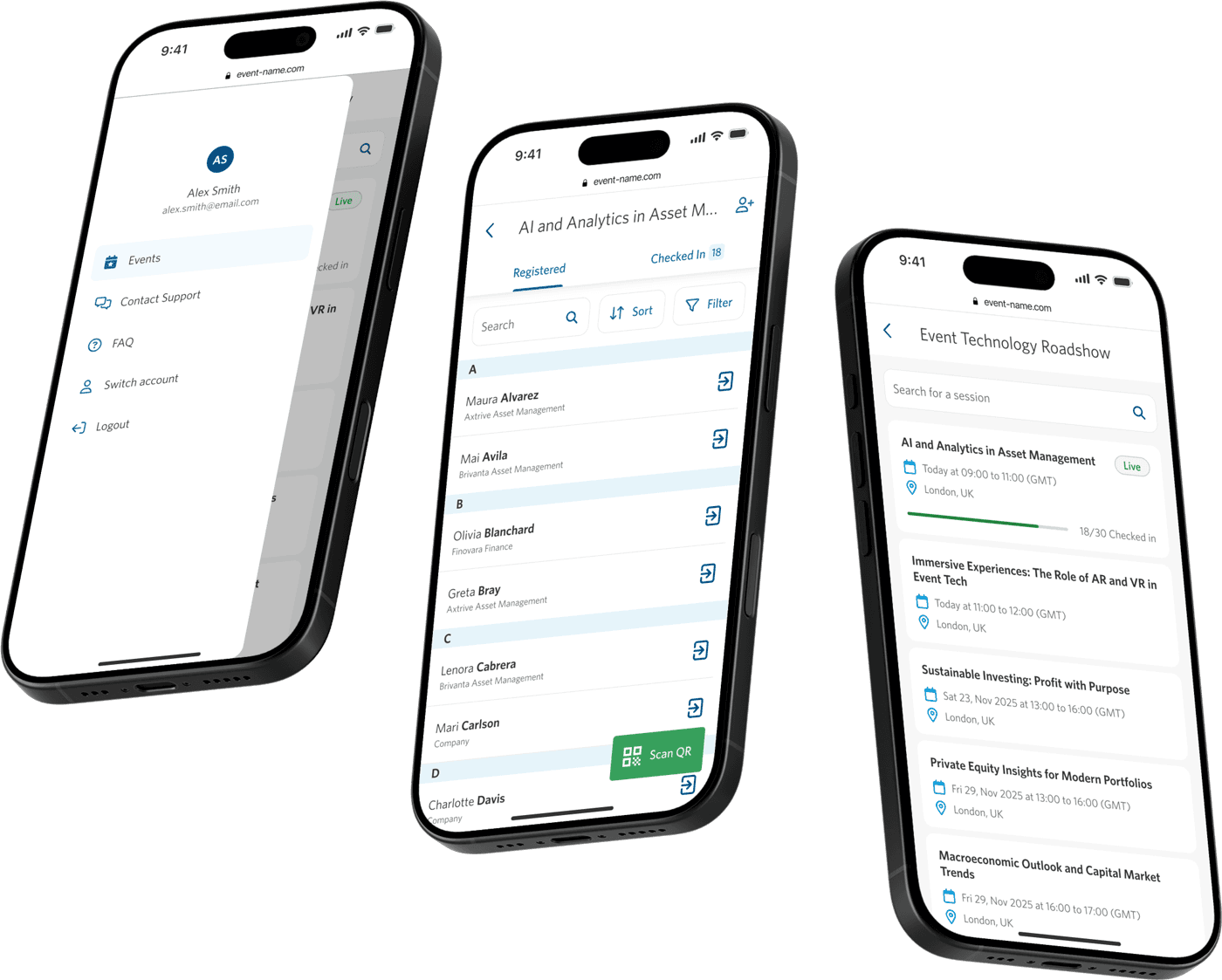
The events page gives organisers a clear view of everything they're running, from upcoming, to live, and completed.

Checking in Guests
The registration list gives organisers full visibility over who's attending, along with their requirements. Organisers could search, sort and filter helping them find specific guests quickly.

Capturing Attendee Info
The check-in flow lets organisers confirm attendee details on the spot, adding colleagues where needed. Keeping this information accurate at the point of check-in saves organisers from cleaning up data after the event.

Settings & Support
Organisers can manage their account and get help without leaving the app, from contacting support directly to searching FAQs by category. Keeping support close at hand means fewer interruptions to the day-to-day running of an event.

Responsive Design
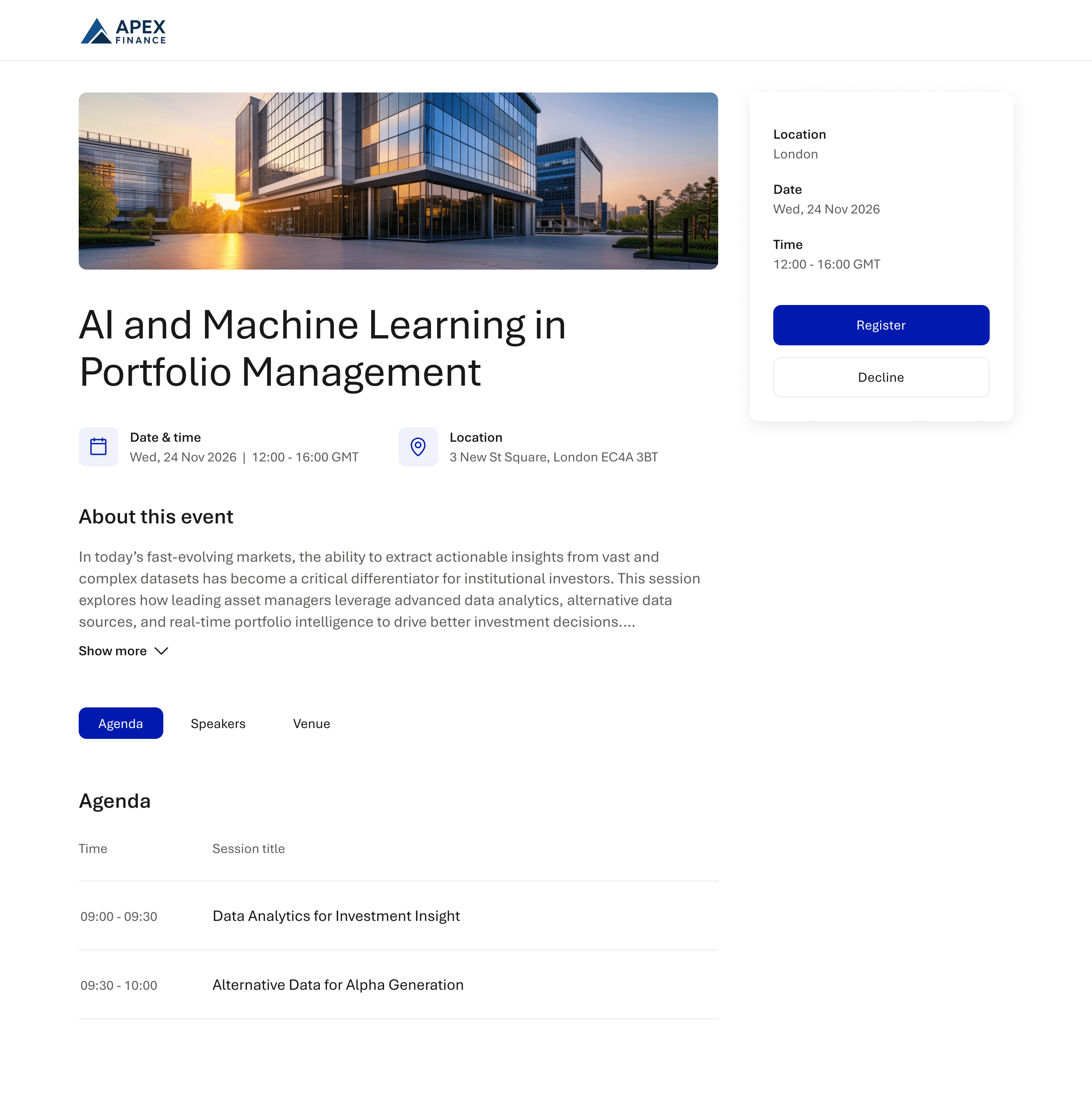
The platform adapts across devices, giving organisers the same level of control whether they're checking in guests on a tablet at the door or managing an event from a desktop beforehand.

Documentation and Dev Hand-off
Full user flows and screen states were documented to give the development team a clear, unambiguous reference for the build.
Beyond the documentation itself, I walked engineers through key flows in short working sessions, so questions came up while there was still time to adjust the design rather than after the build had started.

Developer Implementation QA
Once the check-in app was built by our dev team, I reviewed it against the designs page by page, leaving comments on screenshots of the live build where the implementation didn't match the spec.

Impact & Outcomes
Several Successful Events with 100+ Attendees
Positive feedback from HSBC & BNP hosting in-person financial events using the app.
More Reliable Attendance Data
Event organisers were able to better track event attendance for post event reporting and sales follow up.
Reduction In Lost Data
Improved process for capturing attendee data leading to more reliable data for lead nurturing.
Faster Guests Check-In
Streamlined the check-in experience for guests by reducing the time taken to check-in.
Personalised Client Experience
Special requirements were easier for users to access and act on; enhancing the event experience for attendees.
Uninterrupted events, anywhere
The new app functions smoothly during periods of poor connectivity; meaning the event can continue seamlessly.